

Local SEO · 9 min read
SEO for General Contractors: 6 Essential Steps to Win Bigger Projects
 By Adrian Martinez ·


On this page
- How does SEO for general contractors bring in leads?
- Step 1: Which projects and towns should you target first?
- Step 2: Why does each renovation type need its own page?
- Step 3: How do project pages help you win bigger jobs?
- Step 4: How should a general contractor set up a Google Business Profile?
- Step 5: How do you get reviews from past renovation clients?
- Step 6: How do you track general contractor SEO in Search Console?
- What mistakes hold back SEO for general contractors?
- SEO for general contractors: common questions
- Next steps
SEO for general contractors rests on four things. You need a detailed page for each renovation type you sell, project pages that show finished work, a Google Business Profile with real job photos, and reviews from past clients. Together they help a homeowner planning a kitchen, basement or addition find you and trust you before they call.
Renovation and custom build clients spend months choosing a contractor. Long buying cycles mean they often take time before they are ready to call. Search engine optimization (SEO) puts your work in front of them during that long stretch. This guide covers six steps, from picking the projects you want to tracking what Google shows. It is the same ground we cover in our marketing for general contractors service.
How Does SEO for General Contractors Bring in Leads?
Homeowners find a general contractor in two places on Google. One place is the map results, which come from your Business Profile. The other is the regular search results, which come from the pages on your website. Good SEO for general contractors works on both at once.
Google explains how the map side works on its local ranking help page, which names three factors. Relevance is how well a profile matches what someone is searching for. Distance is how far each business is from the person searching. Prominence draws partly on how many websites link to your business and how many reviews you have. The same page says there is no way to request or pay for a better local ranking.
That leaves the work itself. Clear pages, a complete profile and steady reviews are the parts you control.
Six steps of SEO for general contractors
Step 1
Pick the projects you want more of and the towns you want to build in.
Step 2
Build one page for each renovation type you sell.
Step 3
Turn finished jobs into project pages with real photos.
Step 4
Set up your Google Business Profile with a service area and work photos.
Step 5
Ask past clients for reviews that name the project.
Step 6
Track the searches your pages show for in Google Search Console.
Step 1: Which Projects and Towns Should You Target First?
The first step in SEO for general contractors is choosing the jobs you want more of. For many general contractors, that means kitchen renovations, basement finishing, home additions and custom homes. Write down the towns where you actually want to build, too.
Then list the words homeowners type for each project type. Searches like "basement renovation", "home addition contractor", "kitchen renovation" and "general contractor near me" each point to a different page. Add the town name where it fits, and you have a short, honest target list.
Step 2: Why Does Each Renovation Type Need Its Own Page?
Google's SEO Starter Guide asks you to "think about the words that a user might search for to find a piece of your content" when you write. A page written for one renovation type can use the words homeowners search for that job. Give each renovation type its own page, written for the homeowner planning that exact job.
Each page should explain the scope of the work and your process from first visit to handover. It should also show the photos that prove you have done this kind of job before. Put your permit, insurance and warranty details where people look for them.
| Page | Search it answers | What goes on it |
|---|---|---|
| Kitchen renovations | kitchen renovation plus your town | Scope, process steps and finished kitchen photos |
| Basement finishing | basement renovation plus your town | Permit details, timeline steps and basement photos |
| Home additions | home addition contractor | Design and build process, warranty and addition photos |
| Custom homes | custom home builder | Past builds, your team and how the build is run |
| Service area page | general contractor near me | The towns you serve and a project from each one |
Step 3: How Do Project Pages Help You Win Bigger Jobs?
Project pages are short case studies of real jobs. Project pages for kitchens, basements, additions and custom homes can rank in search, and they help close the deal. A homeowner planning an addition wants to see one you finished.
Write each one in the same order: the problem, the plan and the result. Use your own photos from before, during and after the job. Sort your gallery by project type. That way a basement client sees basements and a kitchen client sees kitchens. When we build these pages, we interview you, gather the photos and write each page for you.
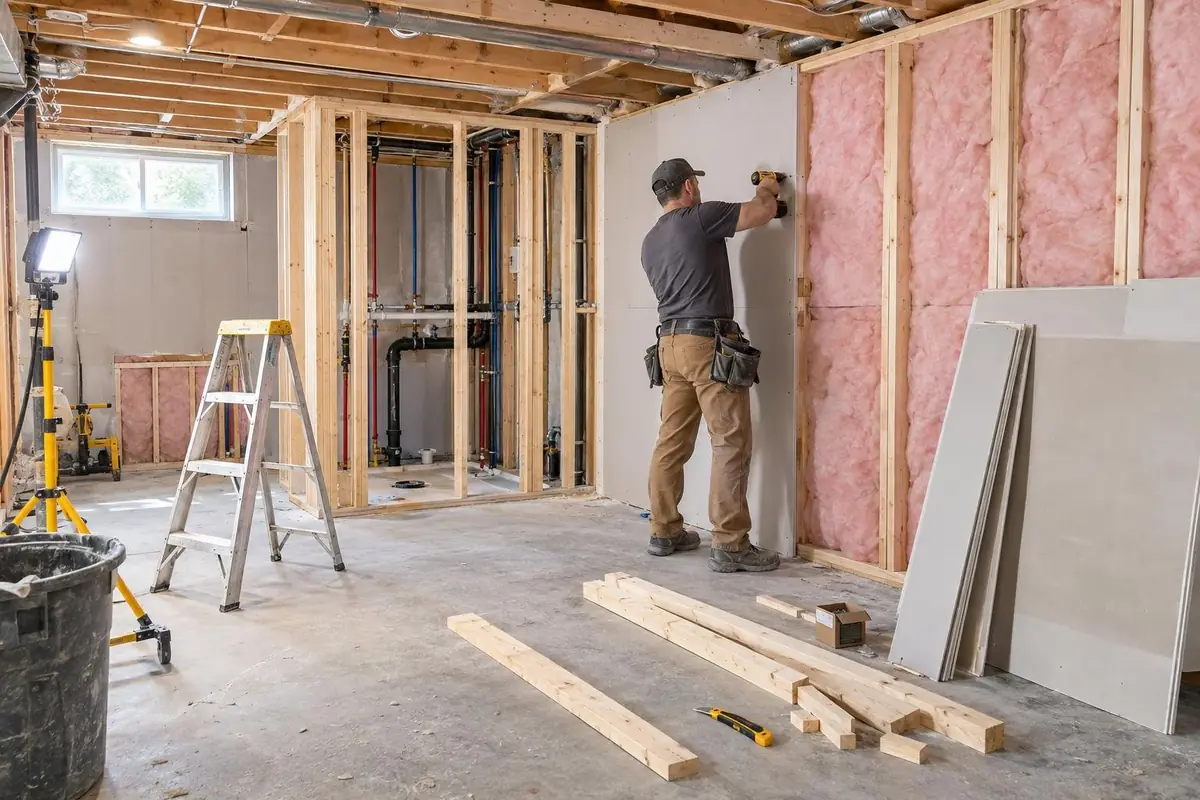
Link each project page to the matching renovation page from Step 2. The same starter guide says links are a great way to connect your users and search engines to other parts of your site.
Step 4: How Should a General Contractor Set Up a Google Business Profile?
Many general contractors work at the client's home. If you do too, you are usually a service-area business. Google's profile guidelines say a business that travels to customers and has no storefront with clear signage is allowed one service-area profile. A service-area business should also hide its address from customers.
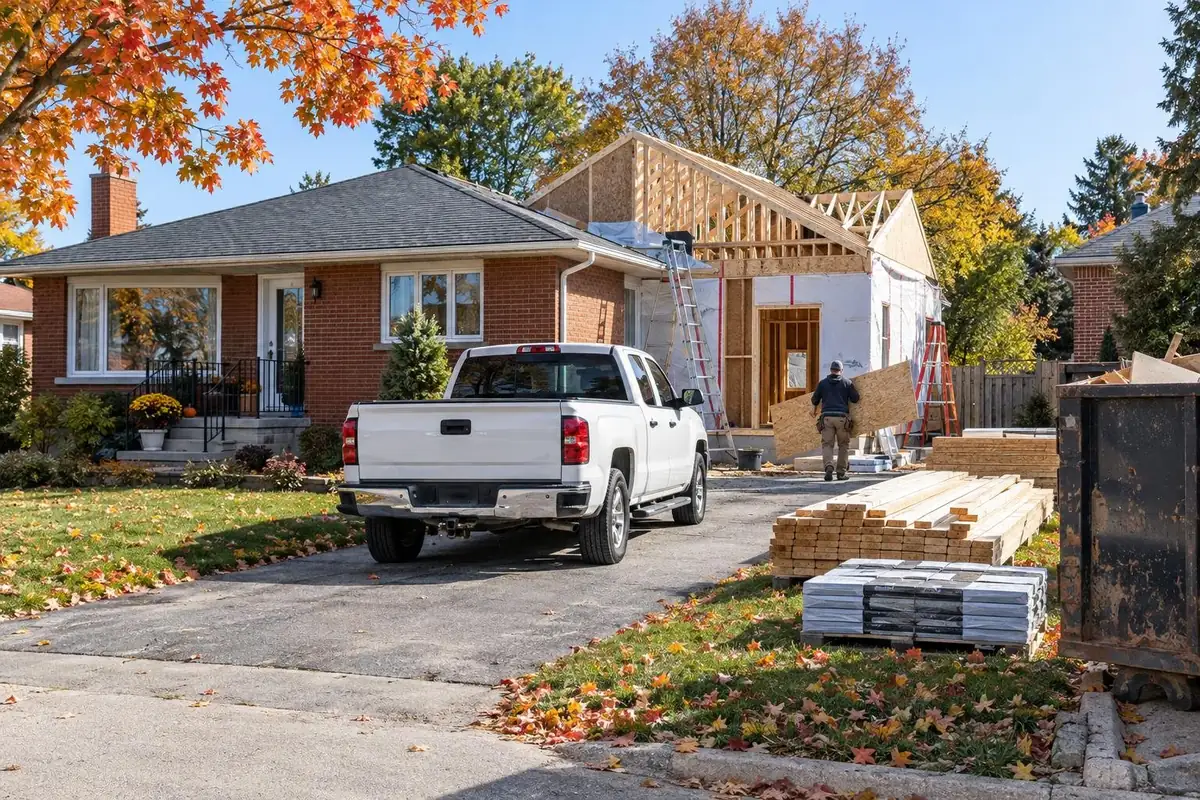
Set your service area by town or postal code. Google's service area help page says you can set up to 20 service areas, but not a radius around your business. The overall area should not be more than about 2 hours of driving time from your base.
Pick categories with care. Google asks you to choose the fewest categories it takes to describe your core business.
Then add photos of your crews at work and your finished jobs. Google's photo tips suggest at least three photos that represent the services you offer. Your photos show only once the business is verified. Our guide to Google Business Profile for contractors walks through the rest of the setup.
Step 5: How Do You Get Reviews From Past Renovation Clients?
Reviews are the part of SEO for general contractors that your clients write for you. Ask every client at handover, while the finished kitchen or basement still feels new. Google's local ranking page says more reviews and positive ratings can help your local ranking. Detailed reviews from past clients also reassure the next homeowner making a big decision.
In your profile, open "Read Reviews" and then "Get more reviews" to copy your review link. Google suggests putting it in thank-you emails.
Ask clients to mention the project type and town in their own words. Never trade anything for a review. Google's review link page calls incentives fake engagement and strictly prohibits them. For timing and wording ideas, see our guide on how to get more Google reviews as a contractor.
Step 6: How Do You Track General Contractor SEO in Search Console?
Google Search Console shows whether your SEO is working. It is a free service offered by Google that helps you monitor your site's presence in Google Search results. Its performance reports count impressions and clicks. An impression is when someone sees a link to your page, and a click is when someone follows one. Click-through rate (CTR) is clicks divided by impressions.
Open the Queries tab and check whether your renovation pages show for the searches from Step 1. Google suggests looking for pages with high impressions and a low CTR. For those pages, check whether the title and snippet answer the searcher's question. If they do not, update the page content so they do. Our SEO and Google Business Profile clients get monthly reports on rankings, calls, form leads and booked jobs from search.
What Mistakes Hold Back SEO for General Contractors?
A common mistake is a single page that lists every service. Google suggests you think about the words a user might search for to find a piece of your content, and one page cannot use the words for every job. The fix is the page set from Step 2.
Stock and heavily edited photos are the next problem. Google's photo tips ask for photos with no significant alterations or excessive use of filters or AI, so each image represents reality. A stock photo of a kitchen also tells a homeowner nothing about your work. Use photos from your own jobs on your site and your profile.
The last mistake is showing a home address on a service-area profile. Google's guidelines say that if clients never visit you, you should hide that address and set a service area instead.
SEO for General Contractors: Common Questions
How do general contractors get leads from Google?
General contractors get leads from Google through the map results and the regular search results. The map results come from a complete Google Business Profile with finished-project photos and reviews. The search results come from one detailed page per renovation type, plus project pages that show real jobs.
How long does SEO take for a general contractor?
Most contractors see movement in 2 to 3 months and stronger results in 3 to 6 months. The timing depends on the competition in your area. No honest SEO company can guarantee rankings, so judge the work by calls and leads.
Can I rank in towns where I do not have an office?
Yes, to a point. Service area pages and a well-set-up profile help you show up across your service area. Rankings are still strongest close to your address, because Google weighs how far a business is from the person searching.
Is construction company SEO different from SEO for other trades?
Yes, mostly in the pages you build. Emergency trades like plumbing need pages that win a fast call. SEO for general contractors leans on detailed renovation pages and project pages, because clients take months to decide.
Next Steps
Our team handles SEO for general contractors across Canada. Start with our SEO and Google Business Profile service. The first piece of work is keyword research for the projects you want more of in each area you serve. Book a call or phone us at 866-898-5439.
Keep reading
More on Local SEO
Keep going with related guides from our library.

How to Choose an SEO Company for Contractors: 7 Essential Questions
What a good SEO company for contractors should do each month, the questions Google suggests asking before you hire, the red flags to avoid and how to check the results yourself.
Read the Guide
Google Review Link and QR Code: 3 Simple Steps to Get Both
Learn how to get your Google review link from your Business Profile, save its QR code on a computer browser and choose where to share each one within Google's review rules.
Read the Guide
Google Business Profile Suspended? 6 Steps to Appeal
Find the guideline problem behind a suspended Google Business Profile, fix it, gather documents that match the profile and file a reinstatement appeal.
Read the Guide